
Your Brand Book Is Finished. Can Your Team Actually Use It?

Imagine a brand book landing in a shared folder. It is beautifully designed, carefully approved and quickly forgotten. The next sales presentation uses an old logo. A supplier recreates the colour from a screenshot. Someone cannot find the Arabic lockup, so the English version goes out instead. The brand has rules, but the team does not yet have a working system.
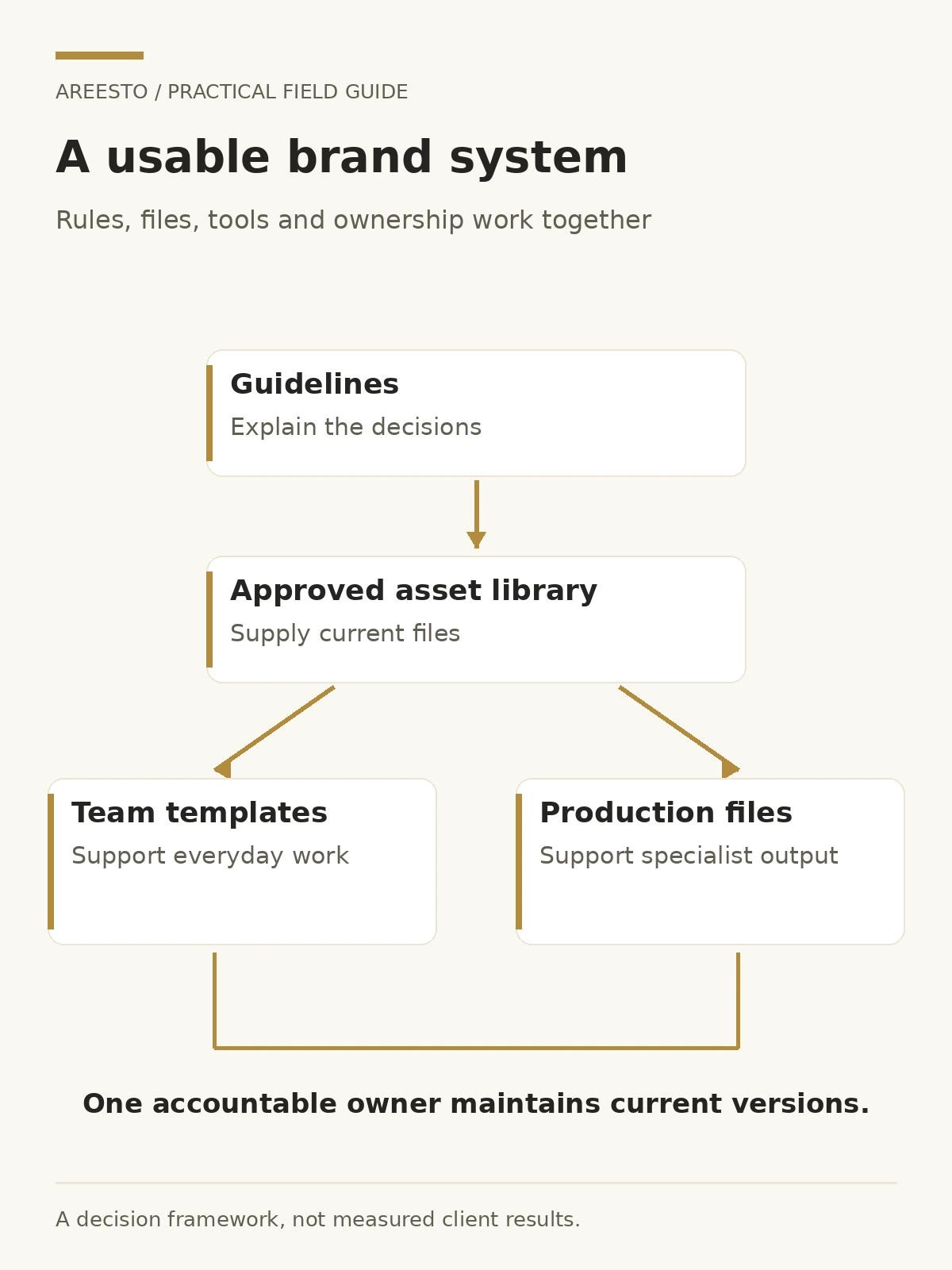
A useful brand handover combines guidelines, accessible assets, editable templates, clear ownership and a way to resolve exceptions. Test it by asking the people who use the brand to complete ordinary tasks without the original designer beside them. The goal is not to police every creative choice. It is to make consistent work easier than improvisation.
Turn the guidelines into the tools people actually use
A rule about heading typography is helpful, but a properly built presentation master is more useful to the person preparing tomorrow’s proposal. Identify recurring tasks before declaring the project complete. Which teams create documents, messages, signage, social posts or product materials? In which tools? What keeps going wrong?
Prioritise templates by actual use and risk. A sales proposal, quotation cover, company presentation or enquiry response may matter more than a mockup nobody will edit. Ask for layouts that handle real content: long headings, dense information, tables, images and bilingual variations. A template that works only with the designer’s short sample text is not finished.
Make the defaults do the work
Set styles, colours, spacing and reusable components in the software your staff already use. Mark which elements are fixed and which can change. Give a short explanation of how to adapt a layout without breaking its hierarchy. Avoid turning every routine update into a request to the original agency.
Choose editable formats deliberately. A supplier may need production artwork while a salesperson needs a template they can update safely. Those are different deliverables. Record the intended user and task beside each file rather than handing everyone the same export folder.

Organise approved assets so people can find the right version
An asset library should answer simple questions quickly: which logo is current, which version works on this background, which files are editable and where is the approved Arabic artwork? Organise by purpose and keep the structure understandable to a new employee.
Separate working files, approved assets and archived versions. Use descriptive filenames with a version or approval date where helpful. A filename containing “final-final” does not establish authority. Keep an approval record and identify who maintains it.
Plan Arabic and English as a system
Store the approved spelling, message variations and wordmark combinations with the visual files. Explain when a bilingual lockup is appropriate and when separate editions are clearer. Include representative layouts, not only isolated logo images.
For digital work, language and reading direction need their own attention. W3C guidance on right-to-left markup explains that declaring a language does not itself establish direction. In practical handover terms, require the actual Arabic components to be tested rather than assuming the English template can simply be flipped.
Keep a rights record too. Note the relevant font, image or third-party asset licences and who holds them. An editable file may still rely on a paid font or a restricted photograph. Ask suppliers to explain dependencies; do not assume “included in the folder” means unrestricted use.
Give the system an owner and a route for exceptions
Without ownership, the library quietly becomes another collection of old files. Name the person or role responsible for approved assets, access and updates. Also identify who can approve a meaningful change to the identity, messaging or claims.
Distinguish routine production from strategic decisions. Replacing a photograph inside an approved template may need a normal content check. Creating a new product identity or changing a brand promise needs a different review. If everything requires senior approval, teams will bypass the system; if nothing does, the identity can drift without anyone noticing.
| Responsibility | What the owner does | When to escalate |
|---|---|---|
| Asset library | Maintains current files and retires obsolete versions | Rights, access or source-file gaps |
| Everyday templates | Supports approved layouts and user questions | A required use cannot fit the system |
| Messaging | Maintains approved descriptions and language versions | A new claim, audience or offer changes meaning |
| Brand direction | Approves substantive identity changes | Growth, architecture or positioning decisions |
Define an exception process with a practical question: what can the team do when the guidelines do not cover the task? Capture the request, intended use and constraint, agree a response owner and add the eventual decision to the system if it will recur. Exceptions are useful feedback about missing tools, not automatically evidence of poor discipline.
Test handover with ordinary work, not a presentation
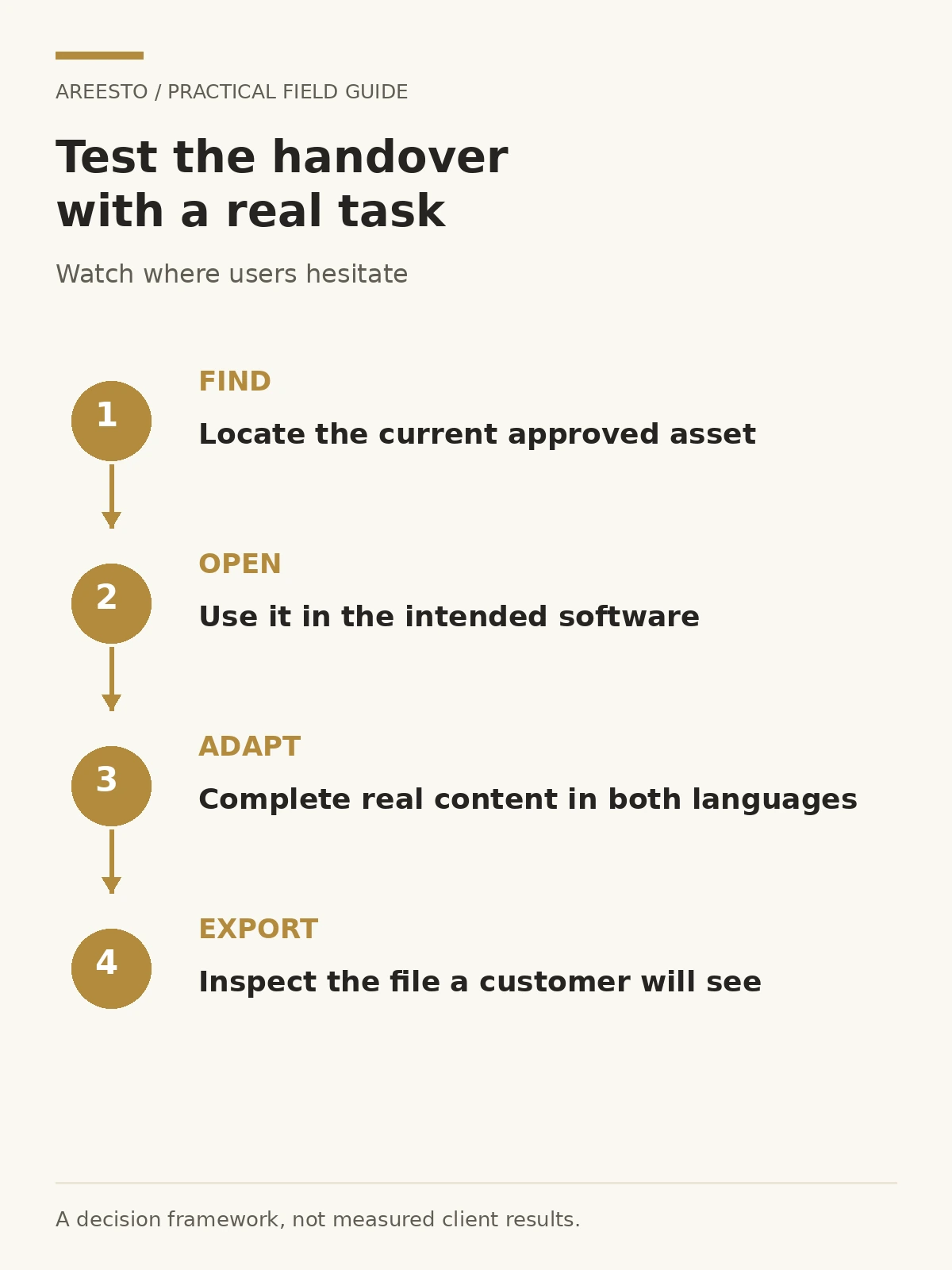
Choose representative users and give them real tasks. Ask sales to prepare a proposal, operations to update a notice and a supplier to identify the correct production file. Watch where they hesitate. Can they find the asset, open it, understand its intended use and finish without rebuilding the design?
Check the output rather than only asking whether the training was clear. Look for substituted fonts, distorted logos, missing Arabic variants, unreadable charts and contact details that are not consistently maintained. Test exports as well as editable files: the final PDF, image or print proof is what the customer sees.
For a growing business, include a realistic new-variant exercise. Can the team add another service, branch or product without inventing a new visual language? If not, decide whether the template needs flexibility or whether the request belongs in a wider brand-architecture discussion.
Keep the system current without turning it into bureaucracy
Agree a review rhythm that reflects your production needs. Gather recurring user questions, inspect a selection of recent materials and update missing components. Do not measure success by the length of the guidelines document. A shorter guide that people can use is more valuable than a comprehensive PDF nobody can navigate.
Make retirement explicit. When a template changes, move the previous version out of the approved area, notify the people who use it and explain the replacement. Keep an archive for reference without allowing it to compete with the current library. Review supplier access when relationships change.
Use this handover acceptance check
- People can locate the correct approved assets without asking the designer.
- Templates work in the tools and language combinations actually needed.
- Source files, exports and third-party dependencies are documented.
- Routine production and strategic approvals have different, named owners.
- Representative users have completed a real task and reported friction.
- Updates, exceptions and obsolete files have a clear process.
Bring the handover requirements into the original project scope. If the brand book already exists, start with the recurring task that is hardest to complete and improve the system around it. You do not necessarily need a new identity to fix a weak handover.
For help connecting brand strategy, design and usable tools, explore Areesto’s branding services for UAE teams. The useful question is not only “what should the brand look like?” but “how will our people use it consistently after launch?”
Frequently asked questions
Is a brand book the same as an asset library?
No. The book explains the system; the library supplies the approved files and working tools. Teams often need both, with clear links between them.
Who should own brand consistency internally?
Assign an accountable role with authority to maintain assets and coordinate decisions. Everyday users still need practical freedom within approved templates.
Does every employee need design software?
No. Provide role-appropriate templates in the tools people actually use. Keep specialist source files available to the people responsible for production.
Do we need to rebrand if our materials are inconsistent?
Not necessarily. The problem may be missing templates, unclear ownership or inaccessible assets. Diagnose those issues before replacing an identity that still fits the business.